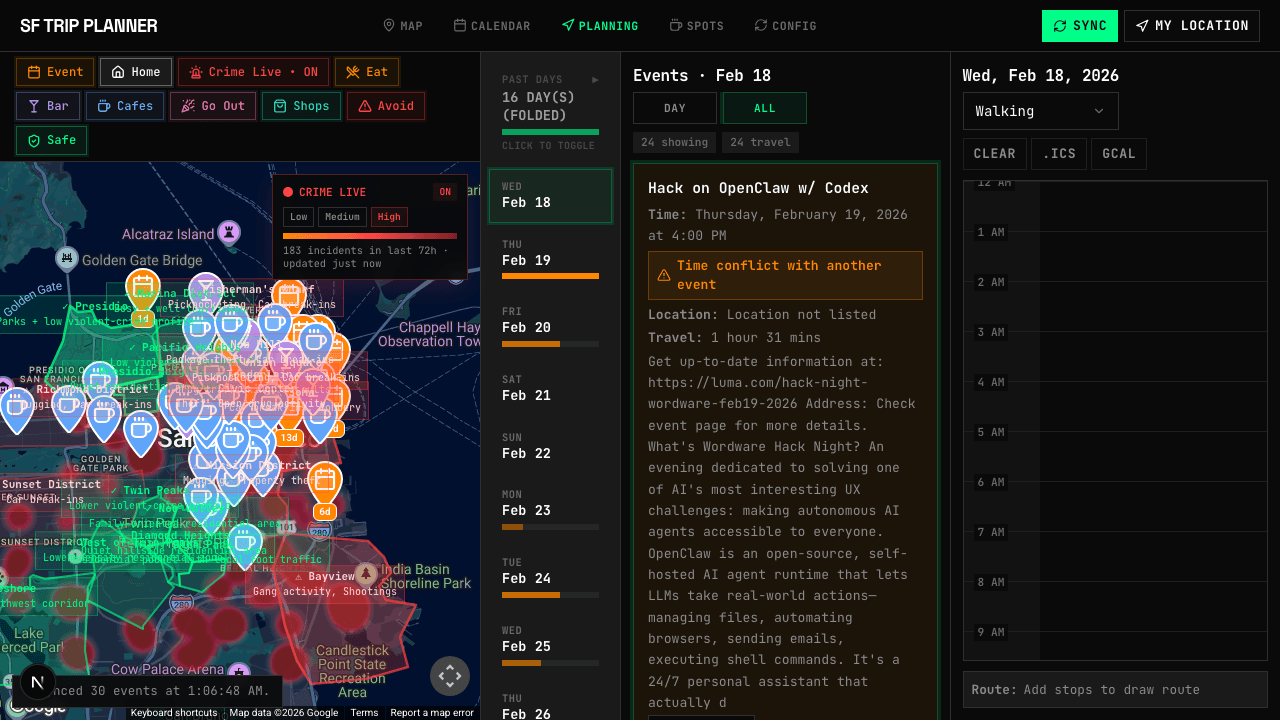
See where every event is. See when they conflict. See where it's safe to walk. One screen that shows you everything you need to decide—then plan your days and export to Google Calendar.
// The Problem
Sound Familiar?
You're visiting SF. You've done the research. Now your browser has 47 tabs open, you don't know what to do on Tuesday, and you're not sure which neighborhoods are safe to walk at night.
[Scattered_Events]
Newsletters from Beehiiv, events on Luma, meetups on Eventbrite, a friend's list in iMessage. Each links to a different site. Good luck cross-referencing dates.
[Buried_Spots]
Your restaurant list lives in Google Maps. The coffee shop from that blog? Bookmarked and forgotten. The ramen spot someone mentioned? Lost in a group chat.
[Safety_Blind_Spot]
Let's be honest—SF has neighborhoods where you don't want to wander at 10 PM. But crime maps and event pins live on completely different websites. Until now.
// See Everything
See Before You Plan
Good decisions start with good information. Before you commit to anything, see where events are, when they happen, what spots are nearby, and which streets to avoid.
See Where Events Are
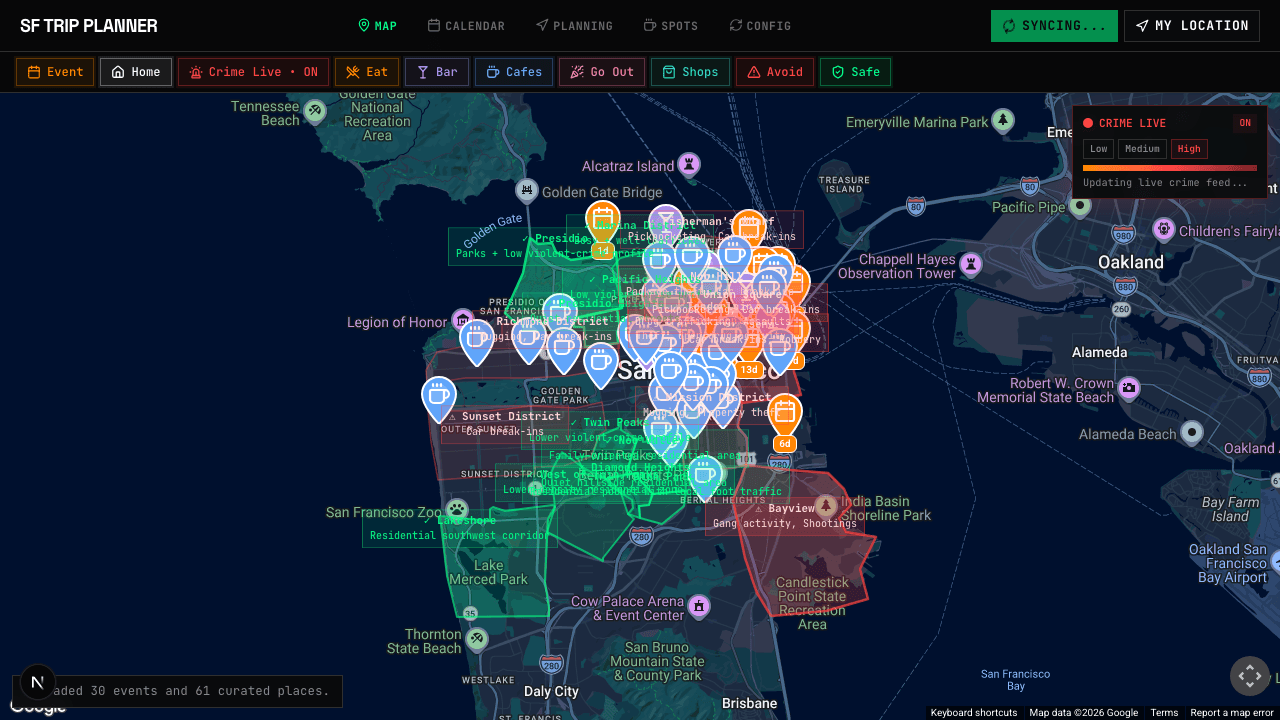
Every event plotted on one map. Color-coded pins by category — orange for events, teal for cafes, pink for nightlife. Tap any pin for details. No more switching between Luma, Eventbrite, and Google Maps.
See When They Conflict
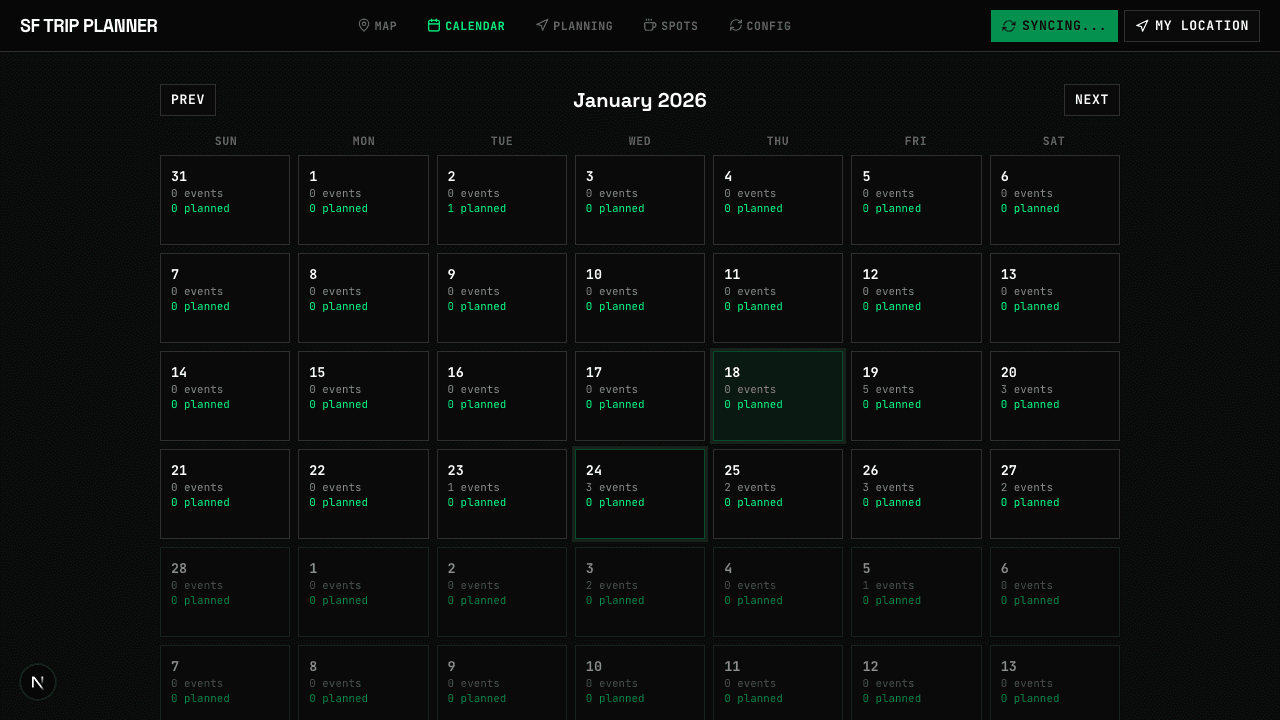
Two events at 7 PM on Thursday? You'll see the overlap highlighted before you commit. The calendar shows event counts per day so you spot packed days and empty ones at a glance.
See Your Curated Spots
That ramen place from the blog, the rooftop bar from a coworker, the coffee shop with the 4.9 rating. All imported, tagged by category, and visible on the same map alongside your events.
See Where It's Safe
SF isn't all sunshine. Toggle the live crime heatmap to see which blocks had recent incidents. Pick restaurants in safe zones. Avoid walking through hot spots at night. Data sourced from SFPD and CivicHub.
// Map
Events, Spots, and Crime—One Map
Every data source on a single interactive map. Events from your synced feeds. Spots from your curated lists. Crime incidents from public safety data. Toggle layers on and off. Zoom into a neighborhood and see exactly what's there.
- >[OK] Color-coded pins: events, eat, bar, cafes, shops, avoid
- >[ACTIVE] Live crime heatmap overlay from SFPD incident data
- >[OK] Route lines between planned stops with time estimates
- >[OK] Days-remaining countdown so you prioritize what's soon
// CRIME_DATA_SOURCES
The crime heatmap pulls from publicly available San Francisco safety data, so you can overlay real incident reports directly on top of your trip plan.
// Safety
Know Where to Walk—and Where Not To
San Francisco is an incredible city, but certain areas see more street crime than others. The Tenderloin at midnight is a different experience than the Marina at noon.
SF Trip Planner overlays a live crime heatmap directly on top of your events and spots. See if that 9 PM meetup is in a safe zone. Check the walk from dinner to your Airbnb. Make informed decisions about where to go and when.
This isn't fear-mongering—it's situational awareness. The same data SFPD publishes, layered onto your trip plan so you don't have to check a separate website.
// Spots
Every Recommendation in One List
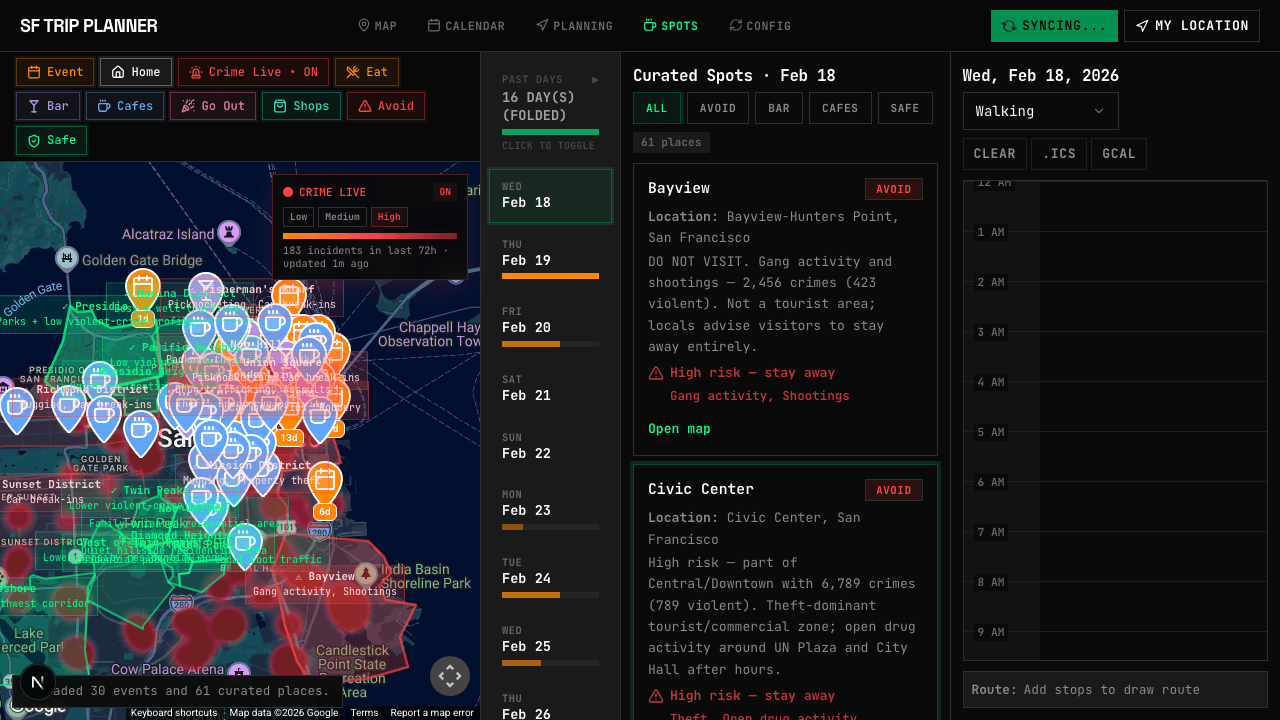
That ramen place from the blog. The rooftop bar your coworker mentioned. The coffee shop with the 4.9 rating. Import them all, tag by category, and see them on the map alongside your events. When it's time to plan dinner, filter to “eat” and pick the one closest to your next event.
// Plan It
Now Make It Happen
You've seen everything. Now drag events into your day planner, build one clean itinerary, and export the whole thing to your calendar.
Plan with Ease
Drag events and spots into a time-grid day planner. Rearrange by dragging. Routes update automatically on the map. See your full day at a glance.
Keep It Personal
Build a single personal itinerary without room setup, ownership rules, or collaboration state leaking into every planner action.
Export to iCal & Google Calendar
Done planning? Export your itinerary as an ICS file or sync directly to Google Calendar. Every event, time, and location — on your phone before you land.
// Calendar
Spot Packed Days and Empty Ones
Each day shows how many events are available and how many you've planned. See at a glance that Saturday has 5 events while Wednesday is wide open. Click any date to jump straight into day-level planning, then export the whole month to Google Calendar.
// Under the Hood
Open Source. Ship It Yourself.
Fork the repo, swap in your own API keys, and deploy to Vercel. Every piece of the stack is open and documented.
// READY_TO_LAUNCH
Close the 47 Tabs. Open One Planner.
Sign in with your email. Import your sources. Start dragging events into your schedule. Takes about two minutes.